The End of Wireframing: How shadcn/ui Enables 10x Faster Dashboard and Intranet Development
December 15, 2025
14 min read
Want to get started?
The Hidden Cost of Traditional Development Workflows
Before examining the solution, it's essential to understand why the traditional wireframe-to-design-to-code workflow has become increasingly problematic for modern enterprise development.
The Handoff Problem
The Static Mockup Limitation
The Design-Development Gap
Enter shadcn/ui: A New Paradigm for Enterprise Development
Shadcn/ui represents a fundamentally different approach to component libraries. Unlike traditional libraries that you install as dependencies, shadcn/ui provides beautifully designed, accessible React components that you copy directly into your codebase. This distinction has profound implications for enterprise development.
The Copy-Paste Model: Full Ownership, Zero Lock-in
Production-Ready Design Out of the Box
The Component Ecosystem
The Code-First Prototyping Revolution
With shadcn/ui and similar modern component libraries, a new development paradigm emerges: code-first prototyping. Rather than creating static mockups, teams build functional prototypes directly in the same technology stack as production.
From Wireframes to Working Software
Designer Roles in Code-First Development
Stakeholder Alignment Through Interactive Prototypes
Real-World Applications and Use Cases
The code-first approach with shadcn/ui excels in specific contexts. Understanding where this methodology delivers the most value helps organizations prioritize adoption.
Admin Dashboards and Analytics Platforms
Company Intranets and Internal Portals
SaaS Platforms and B2B Applications
Rapid Prototyping for Stakeholder Alignment
Implementation Guide: Adopting shadcn/ui in Your Organization
For organizations considering shadcn/ui adoption, a structured approach ensures smooth transition and maximum benefit realization.
Technical Prerequisites and Setup
Establishing Design System Rules
Workflow Integration and Team Adoption
Measuring Success and ROI
Common Concerns and How to Address Them
Organizations considering this approach often have legitimate concerns. Addressing these proactively ensures smoother adoption and appropriate expectation setting.
Will Our Applications Look Generic?
What About Complex Custom Interactions?
How Do We Handle Brand Compliance?
What About Long-Term Maintenance?
The Future of Enterprise Frontend Development
The shift toward code-first development represents a broader trend in enterprise software development. Understanding this context helps organizations position for continued evolution.
AI-Assisted Development
Design Tool Evolution
Competitive Implications
Conclusion
Ready to accelerate your development?
At Acceli, we specialize in rapid enterprise application development using modern component libraries and code-first methodologies. Our teams have delivered dashboards, intranets, and internal tools in weeks instead of months, with quality that exceeds traditional approaches. Let's discuss how we can transform your development velocity and deliver the tools your organization needs.
The traditional web development process has remained largely unchanged for two decades: gather requirements, create wireframes, design mockups, iterate with stakeholders, and finally hand off to developers for implementation. This waterfall approach can consume 40-60% of a project's timeline before a single line of production code is written.
But a paradigm shift is underway. Modern component libraries like shadcn/ui are fundamentally changing how enterprise dashboards, intranets, and internal tools are built. By providing production-ready, beautifully designed components that developers can compose directly in code, organizations can now skip the traditional wireframing phase entirely and move directly to functional, clickable prototypes.
At Acceli, we've adopted this approach for our enterprise clients, reducing typical dashboard development timelines from 4-6 months to 6-8 weeks while actually improving design quality and stakeholder alignment. The secret isn't faster designers or more developers, it's eliminating handoffs and building directly in the medium that matters: production code.
For CTOs evaluating development approaches, this represents a significant competitive advantage. Organizations that embrace code-first development can iterate faster, respond to market changes more quickly, and deliver tools that employees actually want to use, all while reducing development costs by 40-60%.
Traditional development involves multiple handoffs: business analysts to designers, designers to frontend developers, frontend to backend teams. Each handoff introduces delays, miscommunication, and loss of context.
Consider a typical intranet project: Business requirements are gathered over 2-3 weeks. A designer creates wireframes (2-3 weeks), then detailed mockups (3-4 weeks). Stakeholder review cycles add another 2-3 weeks. Only then do developers begin implementing, often discovering that designs don't account for edge cases, responsive behaviors, or technical constraints.
The typical timeline breakdown:
Requirements gathering: 2-3 weeks
Wireframing: 2-3 weeks
Design mockups: 3-4 weeks
Stakeholder reviews: 2-3 weeks (often recurring)
Frontend development: 6-8 weeks
Backend integration: 4-6 weeks
Testing and refinement: 2-4 weeks
Total: 21-31 weeks for a moderately complex dashboard
Each handoff phase requires documentation, meetings, and "translation" between different formats. Designers work in Figma; developers work in code. The conversion between these mediums inevitably introduces discrepancies. Studies from organizations like the Nielsen Norman Group indicate that 50-70% of design specifications change during development implementation, often due to technical constraints or stakeholder feedback that wasn't visible in static mockups.
Static wireframes and mockups, regardless of how detailed, cannot capture the essence of interactive experiences. A designer can annotate "loading spinner appears here" but stakeholders don't truly understand the experience until they click buttons and see actual behavior.
This limitation leads to a predictable pattern: stakeholders approve mockups, development proceeds, and then during demo sessions, feedback surfaces that would have been obvious if the prototype had been interactive from the start.
Common late-stage feedback patterns:
"Can we add a filter here? I didn't realize we'd need that."
"The navigation feels different than I imagined. Can we change it?"
"This loading experience is jarring. Can we add skeleton states?"
"The mobile experience doesn't feel right."
These requests aren't unreasonable, they're the natural result of stakeholders only being able to evaluate real behavior, not static representations. But addressing them late in development is 5-10x more expensive than catching them during prototyping.
The irony is that modern component libraries can create interactive prototypes faster than designers can create static mockups. The traditional workflow persists largely due to organizational inertia, not efficiency.
Even with detailed design systems, translation from Figma to code introduces discrepancies. Spacing might shift by a few pixels. Fonts render differently. Interactive states weren't fully specified. Animations weren't defined.
For enterprise applications where consistency matters, organizations typically employ these stopgaps:
Design QA reviews: Designers review implemented features against mockups, creating tickets for discrepancies. Adds 1-2 weeks per major feature.
Design tokens: Shared color, spacing, and typography values help, but don't solve behavioral specifications.
Style guides: Comprehensive documentation that's expensive to maintain and often outdated.
These are all symptoms of a fundamental problem: we're working in two different mediums (design tools vs. code) and trying to keep them synchronized. Every synchronization point is an opportunity for drift.
What if we eliminated the translation entirely? What if designers and developers worked in the same medium from the start?
Traditional component libraries create dependencies. When Material UI or Ant Design releases a breaking change, your entire application needs updating. When their design language doesn't quite match your brand, you're fighting the library's opinions with custom CSS overrides.
Shadcn/ui inverts this model. Components are copied into your project, becoming your code. You own them completely:
Modify freely: Change any aspect of the component without fighting library constraints
No version conflicts: Your components don't change unless you change them
No bundle bloat: Include only components you use, with no unused code
Full visibility: Debug and understand exactly what your components do
For enterprise applications where stability, customization, and long-term maintainability matter, this ownership model is transformative.
Practical example: A financial services client needed data tables with specific row-selection behavior and inline editing. With traditional libraries, this would require extensive customization or workarounds. With shadcn/ui, we copied the DataTable component, modified the selection logic directly, and added inline editing, all in a few hours rather than days of fighting library constraints.
Shadcn/ui components aren't just functional; they're beautiful. Built with Tailwind CSS and Radix UI primitives, they provide:
Visual Polish:
Thoughtful spacing and typography
Subtle shadows and depth
Smooth hover and focus states
Consistent design language across all components
Accessibility Built-In:
ARIA attributes properly implemented
Keyboard navigation support
Screen reader compatibility
Focus management for complex interactions
Dark Mode Ready:
CSS variables for theming
Automatic dark/light mode switching
Consistent palette across modes
This quality level means that developers can assemble interfaces that look professionally designed without designer involvement for every screen. For internal tools, admin panels, and dashboards, this is often sufficient for production, with designers involved only for brand-critical customer-facing experiences.
The implications for project structure:
Internal dashboards: Developer-built with shadcn/ui, minimal designer involvement
Admin panels: Developer-built, designer review for polish
Customer-facing apps: Designer-led with developer implementation using shadcn/ui
Marketing sites: Full designer involvement with shadcn/ui as implementation layer
This tiered approach allocates expensive design resources where they create the most value while enabling rapid development of internal tools.
Shadcn/ui provides a comprehensive component library covering the vast majority of enterprise UI needs:
Data Display:
Tables with sorting, filtering, and pagination
Cards and content containers
Charts and data visualization
Badges, avatars, and indicators
User Input:
Forms with validation
Select dropdowns and comboboxes
Date and time pickers
Sliders and range inputs
File upload components
Navigation:
Responsive navigation menus
Breadcrumbs and tabs
Command palettes (Cmd+K interfaces)
Side navigation with collapsible sections
Feedback:
Toast notifications
Alert dialogs
Progress indicators
Skeleton loading states
Layout:
Responsive grid systems
Accordion and collapsible sections
Modals and slide-over panels
Resizable split panes
Beyond the core library, the ecosystem includes templates and blocks for common patterns:
These building blocks enable developers to assemble complex applications in hours rather than weeks. A typical admin dashboard that might take 6-8 weeks to design and implement can be assembled in 1-2 weeks using shadcn/ui components and templates.
The code-first approach fundamentally changes project timelines:
Traditional Approach (20-28 weeks for a dashboard):
Requirements and user research (3-4 weeks)
Wireframing and information architecture (2-3 weeks)
Visual design and mockups (4-5 weeks)
Design review and iteration (2-3 weeks)
Frontend development (6-8 weeks)
Backend integration (4-6 weeks)
Testing and refinement (2-4 weeks)
Code-First Approach (8-12 weeks for the same dashboard):
Requirements and component mapping (1-2 weeks)
Functional prototype with shadcn/ui (2-3 weeks)
Stakeholder review with clickable prototype (1 week)
Refinement and production build (3-4 weeks)
Backend integration (3-4 weeks)
Testing and polish (1-2 weeks)
The dramatic reduction comes from eliminating translation phases. Requirements map directly to components. Stakeholders review working software, not static mockups. Feedback is incorporated immediately into the same codebase that will go to production.
Case Study: Healthcare Administration Dashboard
A healthcare client needed an administration dashboard for clinic scheduling, patient records, and billing. Traditional estimates suggested 6 months to first release.
Using code-first prototyping:
Week 1-2: Mapped requirements to shadcn/ui components, built navigation structure and main layouts
Week 3-4: Assembled scheduling interface with calendar, appointment cards, and filters
Week 5: Stakeholder demo with clickable prototype covering 80% of core functionality
Week 6-8: Incorporated feedback, built remaining screens, connected to APIs
Week 9-10: Testing, edge cases, and launch preparation
Time to production: 10 weeks (40% of original estimate)
The prototype shown in week 5 wasn't a mockup; it was the foundation of the production application. Every interaction stakeholders tested was real behavior, not a designer's approximation.
Code-first development doesn't eliminate designers; it elevates their role from pixel-pushers to system architects.
The New Designer Role:
1. Design System Creation: Rather than designing individual screens, designers establish the rules: color palettes, typography scales, spacing systems, and component variants. These rules are implemented as CSS variables and Tailwind configuration, becoming the foundation for all developer work.
2. Component Customization: Designers work with developers to customize shadcn/ui components to match brand requirements. This collaboration happens in code, with designers reviewing rendered output rather than creating separate mockups.
3. Experience Architecture: Designers focus on user journeys, information architecture, and interaction patterns rather than visual execution of every screen. They answer "what should this feel like?" while developers answer "how do we build it?"
4. Quality Review: Instead of creating specifications for developers to follow, designers review implemented features and provide feedback on the actual product. This closes the design-development gap entirely.
5. Strategic Design Work: With internal tools handled efficiently by developers, designers can focus on high-impact work: customer-facing experiences, brand identity, and competitive differentiation.
Practical Implementation:
For a recent enterprise client, we established this workflow:
Designer created a Tailwind theme configuration (colors, fonts, spacing) aligned with brand guidelines
Designer customized key shadcn/ui components (buttons, cards, form elements) to brand standards
Developers built all internal dashboards using these customized components
Designer reviewed major features at 50% and 90% completion, providing polish feedback
Designer led customer-facing portal design, which developers then implemented
Result: Designer involvement reduced from 60% to 20% of project hours while design quality remained high. The designer focused on strategic decisions rather than execution of every screen.
One of the most significant advantages of code-first prototyping is stakeholder alignment. When stakeholders interact with working software, feedback is concrete and actionable.
Static Mockup Feedback (Vague):
"It feels a bit cluttered."
"Can we make it more modern?"
"I'm not sure about the navigation."
Interactive Prototype Feedback (Specific):
"When I click here, I expected it to go to the detail page, but it shows a modal. Can we change that?"
"The filter takes too long to apply. Can we show results as I type?"
"I need to get back to the dashboard quickly. Can we add a keyboard shortcut?"
Interactive prototypes surface real usability issues that static mockups can't reveal. Stakeholders discover their actual workflows, identify missing features, and validate assumptions about user behavior.
Alignment Benefits:
Reduced Ambiguity: "The button should do X" is unambiguous when stakeholders can click the button and see what happens.
Earlier Buy-In: Seeing working software builds confidence. Stakeholders become invested in the project's success because they've experienced its potential.
Faster Decision-Making: When alternatives can be demonstrated in real-time ("Would you prefer a modal or a slide-over panel?"), decisions happen in meetings rather than through email chains.
Scope Control: It's easier to defer features when stakeholders can see what's already working. "That's a great idea for phase 2" is more convincing when phase 1 is functional and impressive.
The Demo Effect: An interactive prototype in week 3 creates momentum. Teams see progress. Stakeholders become advocates. The project gains organizational support that static mockups rarely generate.
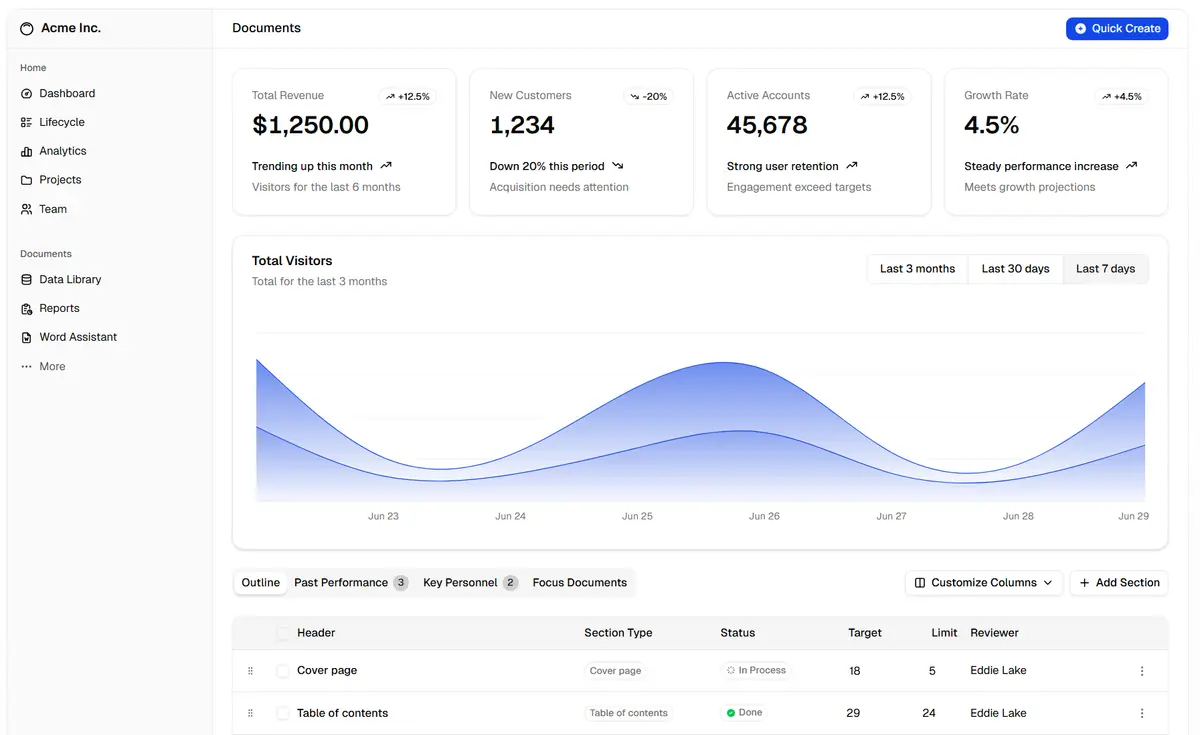
Admin dashboards are perhaps the ideal use case for shadcn/ui-based development. These internal tools require functionality over visual distinction, making the out-of-the-box design quality of shadcn/ui components perfectly suitable.
Common Dashboard Components:
Data tables with sorting, filtering, and export
Charts and visualizations (integration with Recharts, Tremor)
Metric cards with trend indicators
User management interfaces
Settings and configuration panels
Activity logs and audit trails
Speed Advantages:
A typical dashboard might include 15-20 screens: overview, various data views, CRUD interfaces for entities, settings, and user management. With traditional development:
Designer creates 15-20 screen mockups: 3-4 weeks
Review and iteration: 1-2 weeks
Frontend implementation: 4-6 weeks
Total design-to-dev: 8-12 weeks
With code-first shadcn/ui:
Developer assembles 15-20 screens from components: 1-2 weeks
Review and refinement (working software): 1 week
Total: 2-3 weeks
Case Example: SaaS Analytics Dashboard
A B2B SaaS client needed an analytics dashboard showing customer usage, revenue metrics, and churn indicators. Requirements included:
Week 3: Data tables, filtering, export functionality
Week 4: Dark mode, responsive refinement, edge cases
Delivered in 4 weeks with full production quality. The same scope with traditional development would typically require 10-12 weeks.
Internal tools often suffer from design neglect. IT departments build functionally adequate but visually dated interfaces because design resources are allocated to customer-facing products.
Shadcn/ui changes this equation. Developers can build beautiful internal tools without design involvement, improving employee experience and productivity.
Common Intranet Components:
Document libraries and search
Employee directories
Announcement systems
Request forms (IT tickets, PTO, expenses)
Knowledge bases and wikis
Team dashboards and project trackers
Design Quality Without Design Resources:
The built-in design quality of shadcn/ui components means internal tools can match the polish of consumer applications:
Consistent visual language across all sections
Accessible interfaces meeting WCAG guidelines
Mobile-friendly responsive design
Modern UI patterns (command palettes, toast notifications)
Case Example: Employee Portal
A 500-person company needed to replace their aging intranet. Requirements:
Single sign-on integration
Company news and announcements
Employee directory with org chart
Document repository with search
IT and HR request forms
Personal dashboard with relevant information
Traditional approach estimate: 16-20 weeks with designer involvement
Delivered in 6 weeks with visual quality that exceeded the previous (professionally designed) intranet. Employee satisfaction surveys showed 40% improvement in "tools usability" ratings.
For B2B SaaS products, shadcn/ui enables rapid feature development while maintaining professional quality. The ability to quickly prototype and iterate accelerates product-market fit discovery.
SaaS-Specific Advantages:
Rapid Feature Validation: Build functional features in days to test with users before committing to full implementation.
Consistent Multi-Tenant UI: Shadcn/ui theming enables white-labeling without rebuilding components.
Reduced Technical Debt: Owning components means no dependency conflicts or forced upgrades.
Accessible by Default: B2B buyers increasingly require WCAG compliance; shadcn/ui components meet these standards out of the box.
Common SaaS Patterns:
Onboarding flows and wizards
Billing and subscription management
Team and permission management
Settings and integrations
Notification centers
Help and documentation embeds
Case Example: Project Management Tool
A startup building a project management tool needed to ship an MVP quickly to validate market fit. Key requirements:
MVP launched in 5 weeks. The team validated their hypothesis, gathered user feedback, and began iteration, all in the time traditional development would have spent in design phases.
Beyond production applications, shadcn/ui excels as a prototyping tool for pre-sales, proof-of-concepts, and stakeholder alignment exercises.
Pre-Sales Demonstrations:
When pursuing enterprise deals, custom demos showing how your solution would look with the prospect's data and branding can be decisive. With shadcn/ui:
Before committing to large initiatives, organizations often need proof that proposed solutions are viable. Shadcn/ui enables:
Functional POCs in 1-2 weeks instead of 6-8
Real user testing with interactive prototypes
Technical validation alongside UX validation
Smooth transition from POC to production (same codebase)
Stakeholder Workshops:
For projects with multiple stakeholders or unclear requirements, interactive prototypes facilitate productive discussions:
Build initial prototype based on preliminary requirements
Workshop session: stakeholders interact with prototype
Capture feedback and demonstrate alternatives in real-time
Leave with aligned requirements and validated direction
Case Example: Board-Level Investment Decision
A CTO needed board approval for a $2M platform investment. Traditional approach would involve extensive documentation and static mockups. Instead:
Week 1: Built functional prototype of key workflows
Week 2: Incorporated sample data and refined interactions
Board presentation: Live demonstration of prototype
Result: Unanimous approval based on tangible evidence of feasibility
The prototype demonstrated not just what the platform could do, but how quickly the organization could execute. This capability demonstration was as persuasive as the functional design.
Shadcn/ui integrates with React-based projects using Tailwind CSS. Most modern frontend stacks support this combination.
Supported Frameworks:
Next.js (recommended for full-stack applications)
Vite + React (lightweight, fast development)
Remix (alternative full-stack option)
Gatsby (for content-heavy sites)
Setup Process:
Initialize Tailwind CSS: Configure your project with Tailwind, including custom theme extensions
Install shadcn/ui CLI: The CLI enables easy component installation
npx shadcn@latest init
Configure components.json: Define path aliases, styling preferences, and component locations
Install components as needed: Add specific components to your project
npx shadcn@latest add button card table
Customize theme: Modify CSS variables in globals.css to match brand colors
Project Structure Recommendation:
/components
  /ui           # shadcn/ui components (copied here)
  /features     # Feature-specific components built from ui components
  /layouts      # Page layouts and wrappers
/lib
  /utils        # Utility functions
/styles
  globals.css   # Theme variables and global styles
Team Requirements:
Developers should be comfortable with React and TypeScript
No design tool expertise required for basic implementation
Even without detailed mockups, consistent interfaces require design system rules. These rules are implemented directly in code, ensuring developers produce consistent results.
Spacing: Consistent padding and margin values (typically using Tailwind's default scale)
Border Radius: Define rounding levels for consistency
Documentation for Developers:
Create a living style guide (can be built with shadcn/ui itself) showing:
Color palette with usage guidelines
Typography examples and when to use each size
Component variants and when to apply them
Layout patterns for common page types
This documentation replaces traditional design mockups. Developers reference the style guide when building new screens, ensuring consistency without designer involvement in each feature.
Design Review Checkpoints:
Establish when designer review is required:
New page types or layouts: Designer review before implementation
Variations on established patterns: Developer implements, designer reviews
Standard CRUD screens: Developer implements, no review required
This tiered approach allocates design resources efficiently.
Successful adoption requires workflow adjustments and team buy-in. The transition from traditional development to code-first prototyping involves process changes.
Revised Project Workflow:
1. Requirements Phase (Condensed)
Map requirements to shadcn/ui components
Identify custom components needed
Define data structures and API contracts
Estimate: 1 week for moderately complex projects
2. Prototype Phase (New)
Build functional prototype with shadcn/ui
Connect to mock data or existing APIs
Prepare stakeholder demo
Estimate: 2-3 weeks
3. Review Phase (Interactive)
Demo working prototype to stakeholders
Capture feedback in real-time
Update prototype immediately where possible
Estimate: 1 week
4. Production Phase (Shortened)
Refine prototype into production code
Add error handling, edge cases
Complete backend integration
Estimate: 3-4 weeks
5. Polish Phase (Focused)
Designer review for critical screens
Performance optimization
Accessibility audit
Estimate: 1-2 weeks
Team Role Adjustments:
Product Managers: Participate in prototype building sessions, providing real-time feedback rather than written specifications.
Designers: Shift from screen-by-screen design to system design and quality review. May require upskilling in design tokens and basic Tailwind understanding.
Developers: Take ownership of UI decisions within design system constraints. Requires comfort with product thinking, not just implementation.
Stakeholders: Engage with interactive prototypes rather than static mockups. Training on how to provide effective feedback on working software.
Change Management:
Pilot with one project to demonstrate benefits
Document time savings and quality improvements
Train team members on new workflows
Celebrate successes and share learnings
Scale gradually to additional projects
Quantifying the benefits of code-first development helps justify continued investment and identifies optimization opportunities.
Key Metrics:
Time-to-Production: Compare project timelines before and after adoption. Target: 40-60% reduction.
Design Phase Reduction: Measure design hours as percentage of total project hours. Target: Reduce from 25-35% to 10-15%.
Stakeholder Satisfaction: Survey stakeholders on feedback process quality. Target: Improvement in clarity and alignment metrics.
Developer Productivity: Track features delivered per sprint. Target: 25-50% increase.
Increased iteration speed: Better product-market fit
Developer satisfaction: More engaging work, reduced turnover
Tracking Implementation:
Establish baseline metrics before adopting shadcn/ui
Track metrics for pilot projects
Compare against historical averages
Report quarterly on adoption benefits
A common concern is that using a component library will result in applications that look the same as every other shadcn/ui project. This concern is understandable but largely unfounded when components are properly customized.
Customization Levers:
Theming: CSS variables control colors, fonts, spacing, and border radius. A different color palette immediately creates visual distinction.
Component Modification: Because you own the components, any aspect can be modified. Button shapes, card shadows, table styles, all customizable.
Layout and Composition: How components are arranged creates unique experiences. The same components in different layouts produce different applications.
Custom Components: Shadcn/ui doesn't limit you to its components. Build custom components using the same design tokens for consistency.
Practical Comparison:
Two applications using shadcn/ui can look completely different:
Application A: Dark theme, sharp corners, dense data presentation, sans-serif typography
Internal tools: Minimal design investment, default shadcn/ui with brand colors
This tiered approach applies design resources where differentiation matters most.
Some projects require interactions beyond what component libraries provide. How does code-first development handle these cases?
Extending Shadcn/UI Components:
Because components are in your codebase, extension is straightforward:
Add new props for additional functionality
Modify internal logic for custom behavior
Compose multiple components for complex interactions
Example: A client needed a table with inline editing, row expansion, and keyboard navigation. Shadcn/ui DataTable provided the foundation, extended with:
Custom cell renderers for editable fields
Expansion row component for details
Keyboard event handlers for navigation
Development time: 3 days (versus 2-3 weeks building from scratch)
Third-Party Integration:
Shadcn/ui components work well with specialized libraries:
Data visualization: Recharts, Tremor, Nivo
Drag-and-drop: dnd-kit, react-beautiful-dnd
Rich text editing: Tiptap, Lexical
Date handling: react-day-picker (shadcn/ui includes this)
The component library handles standard UI while specialized libraries address complex interactions.
When to Build Custom:
Truly novel interactions not available in any library
Even then, custom components can follow shadcn/ui patterns (styling, accessibility) for consistency.
Enterprise organizations often have strict brand guidelines. Can component libraries meet these requirements?
Brand Compliance Strategy:
1. Design Token Alignment: Map brand colors, fonts, and spacing to CSS variables. This creates foundation-level compliance.
2. Component Customization: Modify component styles to match brand specifications. Buttons, forms, and navigation often have specific brand requirements.
3. Documentation: Create brand-specific implementation guidelines showing how shadcn/ui components should be configured for compliance.
4. Automated Checking: Implement linting rules to enforce brand compliance (e.g., only approved color values).
Case Example: Financial Services Brand Compliance
A financial services client had strict brand guidelines including:
Component specifications (button heights, input styling)
Implementation approach:
Created Tailwind theme extending defaults with brand values
Customized shadcn/ui components to meet specifications
Built style guide showing compliant component usage
Designer reviewed key screens for brand alignment
Result: All internal applications achieved brand compliance while benefiting from rapid development. Brand team approved the approach for all future internal tool development.
Some organizations worry about maintaining custom components versus relying on library updates. This concern deserves careful consideration.
Maintenance Considerations:
Owned Components: Because shadcn/ui components are copied into your codebase, you're responsible for maintenance. This means:
Selective Updates: When shadcn/ui releases improvements, you can selectively apply changes to your copied components. No forced updates.
Reduced Surface Area: Installing only needed components limits maintenance scope. A project using 15 components has less to maintain than one using 50.
Documentation: Maintain a CHANGELOG noting any customizations. This helps when evaluating whether to adopt upstream improvements.
Long-Term Perspective:
Organizations using shadcn/ui report that maintenance burden is lower than traditional component libraries because:
No unexpected breaking changes from library updates
No fighting library constraints for customizations
Clearer understanding of component behavior (it's your code)
Flexibility to adopt improvements at your own pace
The trade-off is accepting responsibility for security and bug monitoring. For organizations with engineering capacity, this trade-off favors ownership.
The combination of component libraries and AI code assistants accelerates development further. Tools like GitHub Copilot, Cursor, and specialized UI generation systems can:
Component Assembly: AI assistants familiar with shadcn/ui can generate component compositions based on natural language descriptions.
Customization Suggestions: AI can propose theme modifications and component variants based on design requirements.
Code Generation: Full page layouts can be generated as starting points, then refined by developers.
The Amplification Effect:
A developer using shadcn/ui is already 3-5x faster than traditional development. Add AI assistance and productivity multiplies further. Tasks that took hours become minutes:
"Create a user settings page with profile, notifications, and security tabs"
AI generates initial structure using shadcn/ui components
Developer refines and connects to APIs
Complete in an hour versus a day
This amplification changes economics. Projects that weren't cost-justified become viable. Internal tools that would have used spreadsheets get proper interfaces. The bar for "worth building" drops dramatically.
Design tools are evolving toward code generation, further blurring the line between design and development.
Current Trends:
Figma Dev Mode: Better translation from designs to code specifications
Design-to-code tools: Automated conversion of designs to React components
Design tokens: Shared values between design tools and code
Future Direction:
The logical conclusion is convergence. Design tools will generate component code directly. Development environments will preview changes visually. The distinction between "designing" and "coding" will become less meaningful.
Organizations adopting code-first approaches now are positioned for this convergence. They've already established:
Design systems in code (CSS variables, Tailwind themes)
Component-based thinking (composition over custom implementation)
Workflows where design and development overlap
When design tools generate shadcn/ui-compatible components directly, these organizations will integrate seamlessly.
Development velocity is increasingly a competitive advantage. Organizations that can build and iterate faster win in the market.
Speed to Market:
First-mover advantages remain significant. Organizations using code-first development:
Launch products faster
Iterate based on user feedback sooner
Capture market share before competitors
Build brand association with innovation
Talent Implications:
Developers increasingly prefer modern tooling. Organizations using shadcn/ui and similar technologies:
Attract developers who value productivity
Retain developers who want engaging work
Build teams comfortable with rapid iteration
Client Expectations:
As code-first development becomes common, clients expect faster delivery. Organizations still using traditional waterfall approaches face:
Longer timelines versus competitors
Higher costs for equivalent functionality
Perception of being outdated
The Two-Speed World:
A divide is emerging between organizations that have modernized development practices and those that haven't. The gap in delivery speed, cost efficiency, and team satisfaction grows with each passing year.
Early adopters of code-first development are building compounding advantages:
Faster delivery builds reputation
Reputation attracts better talent
Better talent delivers faster
The cycle accelerates
For CTOs evaluating approaches, the strategic question isn't whether to modernize but how quickly.
The traditional development workflow of wireframing, designing, and then coding is no longer the only path to quality enterprise applications. Modern component libraries like shadcn/ui enable a fundamentally different approach: building functional, beautiful interfaces directly in code.
This code-first approach delivers dramatic efficiency gains. Dashboard development timelines shrink from 6 months to 6 weeks. Stakeholders review working software instead of static mockups. Designers focus on system architecture rather than individual screen execution. The savings compound across every project.
For CTOs and technology leaders, the implications are significant. Organizations adopting code-first development gain competitive advantages in time-to-market, development costs, and team productivity. Those clinging to traditional waterfall approaches face growing disadvantages as the gap in capability widens.
The path forward is clear: establish design systems in code, adopt component libraries that enable rapid assembly, and shift workflows toward interactive prototyping. The technology is mature, the patterns are proven, and the business case is compelling.
Wireframing served us well for two decades. It's time to move beyond it. The future of enterprise frontend development is code-first, and that future is available today.